


Betway Scores - Scores & News
4.772.00 Reviews
App Specs
- Version
- 1.95.1
- Updated On
- License
- Free
- Downloads
- 10,000,000+
- Developer
- SportCC
- Categories
- Sports
- Platform
- Android, iOS
Screenshots

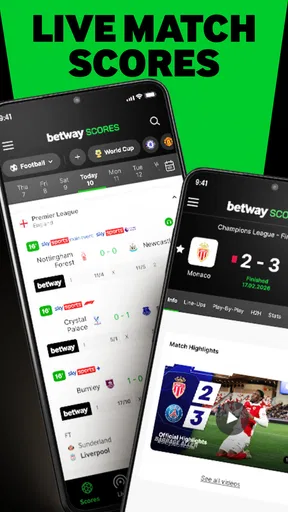
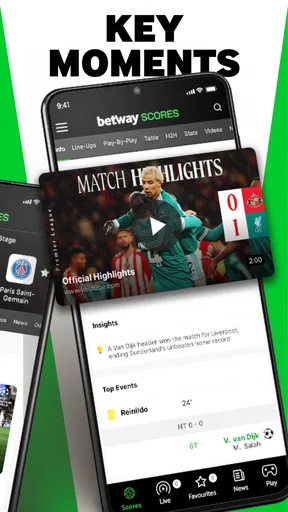
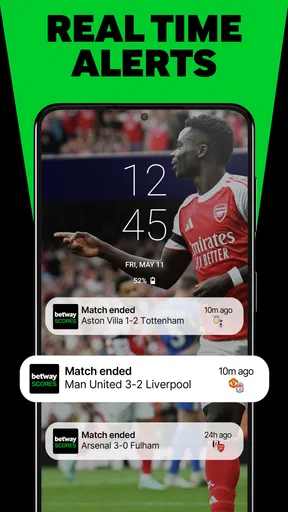
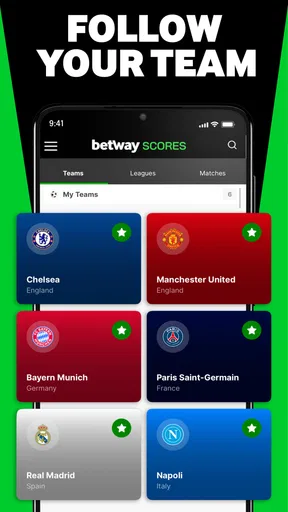

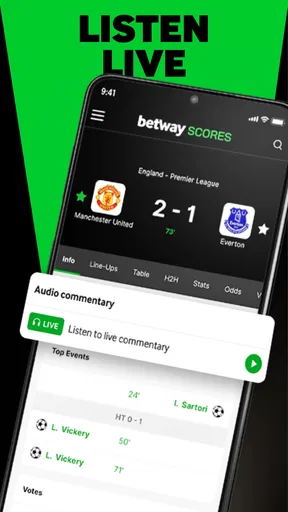
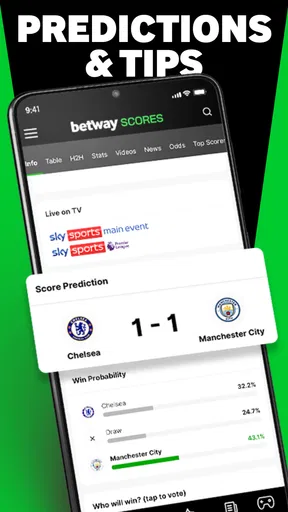
 Analysis by AppCompare
I installed Betway Scores - Scores & News to see how well it works when sports updates have to fit into an ordinary household routine rather than a dedicated fan’s schedule. My main test was simple: could one person check a match quickly, share useful information with someone else at home, and avoid turning a phone into a constant stream of distractions? The answer is mostly yes, although the app makes more sense for sports followers who already know what they want to follow.
This is a free sports app from SportCC, focused on live scores, news and statistics across different sports and competitions. It has built a strong audience, with over 10 million installs and a 4.7 average from around 224 thousand ratings. Those figures suggest that it is not a niche scoreboard for one league; it is intended to be a broad, frequently used companion for people who want quick updates in one place.
How it fits into a shared household
The most convincing use case is a home where different people follow different events. One person may care about football, another about basketball, and someone else may only want a major tournament result. Instead of opening several league-specific apps or searching the web repeatedly, a single sports hub can make those quick checks easier. I found that especially useful during busy evenings, when nobody wanted to sit down for a full match but everyone wanted to know what was happening.
A realistic example is a family preparing dinner while a match is in progress. One person can glance at the current score, another can check a headline, and the conversation can continue without a television being left on in the background. The app is well suited to these short visits because its purpose is immediate information rather than long-form viewing. It helps answer “what is happening now?” more effectively than a general news app, while avoiding the commitment of opening a full broadcast service.
That convenience also exposes a household limitation: the app does not automatically understand that several people using one phone may have different interests. If the device is shared, the person who last used it can influence what feels most relevant on the next visit. I would therefore treat it as a common information tool, not as a multi-person family dashboard. Each user should be clear about which competitions they are checking before changing any personal preferences or notification choices.
For a couple or family that already discusses sport together, the app can become a useful conversation starter. A score or statistic is easier to pass along than a long article, and the news element gives context when somebody has missed the build-up. However, it does not replace a messaging app for coordination. I still found myself using ordinary messages when deciding where to watch an event or telling somebody that a result had changed.
What the first setup gets right
The first important decision is not technical; it is editorial. Sports apps become noisy when they try to show everything at once. I recommend starting with the sports and competitions that matter most to the household, then resisting the temptation to follow every available option. A smaller personal selection makes quick checks faster and reduces the chance that an occasional user will have to search through unrelated results.
Worth Reading Before You Choose

Baby Panda World Brings Quick Play to Modern Phones, but Its Game Library Feels Busy

ESPN’s Live Game View Makes Following Close Games Easier

QuizzLand Review: A Good Fit for Short Trivia Breaks, Not Every Player

Basketball Stars: Multiplayer Is Fast, but Can It Recover When Matches Go Wrong?

WEBTOON Turns Phone Updates Into a Better Reading Routine

Link to Windows Runs on Shared Habits, Not Social Feeds
This matters even more on a shared device. A preference that is perfect for one person can make the next person feel that the app has become cluttered. Before saving a competition or adjusting alerts, I would ask who is likely to use the phone afterward. If the device belongs to one person but is occasionally passed around, keeping the selection personal is sensible. If it is genuinely communal, a deliberately narrow setup is less frustrating than trying to represent everyone’s complete sports life.
The app runs on Android devices using version 8.0 or later, which makes it accessible on many older phones as well as newer ones. I tested it as a quick-access tool rather than something that should remain open all day. That approach is important on a shared phone, where constant background activity or repeated alerts can become annoying for people who did not choose them.
The current release is version 1.95.1, and the experience feels mature enough for routine score checking. Still, I would not assume that a new user understands every setting immediately. Sports terminology, competition names and alert choices can be more obvious to an experienced fan than to a casual household member. Showing another person where to find the relevant sport is often more helpful than simply handing over the phone and expecting the layout to explain itself.
Coordinating without mixing up preferences
One of my useful habits was separating “checking” from “following.” Checking means opening the app to look at a particular score or story. Following means allowing a sport, league or event to influence what appears regularly. Those are not the same thing. A shared-device user may only need a one-time result, and turning that event into a lasting preference can make the app less comfortable for the next person.
This distinction is a small but important workflow improvement. If a household member asks for a result, I would search for it directly and leave the broader selection alone. If that person repeatedly asks about the same competition, then it may be worth including it in the regular setup. That keeps the app useful without constantly redesigning it around temporary interests.
The same caution applies to notifications. I would use them selectively, because a live-score alert that is valuable to one person can interrupt somebody else’s work, sleep or study. On a personal phone, alerts can make the app feel proactive. On a shared phone, they need a household agreement. The safest approach is to enable only updates that everyone using the device considers worthwhile, rather than treating every available alert as helpful.
Another practical tip is to agree on what counts as a reliable update before forwarding information. A score is immediate and easy to understand, while a news item may need more context. If somebody is making plans around an event, I would check the relevant match or competition page again rather than relying on a message remembered from earlier. This is not a criticism unique to the app; it is simply the difference between using a sports feed casually and using it to coordinate real plans.
Betway Scores works better for coordination around information than coordination around attendance. It can help a household know whether a game has started or whether a result is available, but it is not a shared calendar, group chat or viewing planner. If the main need is deciding who is picking someone up, reserving a time or managing several people’s schedules, a dedicated household tool remains the better choice.
Age, trust and the mature rating
The app carries a Mature 17+ content rating, so I would not install it on a child’s device without first considering whether it is appropriate for that user. The rating is particularly relevant in a household because an adult may see the app as a harmless scoreboard while a younger person encounters sports news and surrounding material in a different context. I would keep the age guidance visible when deciding whether the app belongs on a shared family tablet or phone.
There is also a trust boundary around sports-related content. The app’s name and store positioning connect it with Betway Scores, and an adult user should be comfortable with that context before recommending it to others. I would not present it to a child as merely a neutral educational sports tool. For adults, it can be a convenient way to follow results and news; for younger household members, a child-focused sports source may be a more suitable choice.
That does not make the app unsuitable for every family. In an adult household, the mature rating is straightforward to respect. The important point is to avoid assuming that one person’s comfort level automatically applies to everyone who shares the device. A teenager, guest or visiting relative may not have the same expectations about sports content, betting-related branding or notifications.
My trust advice is simple: treat the app as an information source, not as the final authority for every decision. Scores are useful for quick awareness, while news and statistics deserve the same sensible reading habits as any other feed. If a result affects travel, a viewing arrangement or an important conversation, I would verify it before acting. That extra check is especially worthwhile when several people are repeating information through the household.
Where it beats ordinary alternatives
Compared with a general search engine, the app is more convenient for repeated sports checks because the information is organized around competitions and live events rather than scattered across results pages. Compared with a general news app, it gives sports a clearer priority. Compared with a single-league app, its broader scope is more useful when household interests are divided across sports.
The trade-off is depth and focus. A league-specific application may be preferable for someone who wants a very specialized experience built around one competition. A broadcaster’s app may be better for video, commentary or a complete match presentation. A team app may offer a closer connection to one club. Betway Scores is strongest in the middle: broader than a specialist tool and more sports-focused than a general news service, but not a replacement for every other type of sports product.
I also prefer it to repeatedly searching the web when I only need a score, but I would choose a normal browser for a one-off question that has nothing to do with sports. Installing a dedicated app creates value through repeated use. If you follow sport only once every few weeks, the extra app may not justify occupying space on your phone. For regular checking, the focused layout becomes more worthwhile.
Its statistics are useful when I want more than the headline result, but numbers can encourage false confidence if read without context. A statistic may explain part of a match without explaining why it unfolded that way. I use the figures as prompts for further understanding rather than as a complete analysis. Someone who wants advanced tactical breakdowns should look for a specialist source alongside this app.
Small frictions I noticed in daily use
The broad coverage that makes the app attractive can also make it feel busy. Casual users may see more competitions than they recognize, and a household member who only wants one result can feel lost if they approach it without a clear destination. My solution was to decide the sport or competition first, then open the app with that question in mind instead of browsing aimlessly.
News and scores serve different moods. Scores are usually consumed in seconds, while news asks for attention and context. Combining both in one sports app is convenient, but it means the experience can shift from a quick utility to a more absorbing feed. On a shared device, that change can matter: someone checking a result may end up leaving the phone open longer than expected, while another person is waiting to use it.
The app is also not ideal for people who want a completely quiet phone. Even when sports alerts are useful, they can become interruptions if too many events are followed. I would rather begin with no more than the genuinely important updates and add others gradually. This is one of the clearest differences between a personal installation and a communal one: a shared device should usually favor fewer interruptions.
Another limitation is that shared use can blur responsibility. If one person changes the tracked interests, another may think the app has lost information or is behaving inconsistently. A simple household rule helps: one person manages the setup, while everyone else uses direct searches for occasional checks. That is not a built-in family system; it is a practical way to prevent avoidable confusion.
Who should install it
I would recommend it to adults who follow several sports, want fast score checks and appreciate having news and statistics together. It is also a good fit for an adult household where people regularly compare results but do not need a full broadcast service. The free price makes trying it easy, and the large install base suggests that it has already become a familiar option for many sports followers.
I would be more cautious with a household that includes children, people sensitive to notifications or users who want a tightly controlled, single-team experience. The Mature 17+ rating should be taken seriously, and the app’s broad sports approach may be excessive for someone who cares about only one club. In those cases, a team-specific source, a child-appropriate sports app or a simple browser bookmark may be a better match.
I would also skip it if my main goal were watching live video, arranging family schedules or maintaining a shared list of events. Its value is information: current scores, sports news and supporting statistics. Choosing it for a different job would create disappointment that the app itself does not need to solve.
My household verdict
After using it as both a personal sports checker and a shared household reference, I see Betway Scores as a practical middle ground. It is faster than general web searching for recurring sports questions, broader than a single-competition tool and more useful than a bare result page when I want some surrounding news or statistics. Its strongest quality is flexibility, provided I keep the setup intentional.
The best shared-device workflow is to keep preferences restrained, treat alerts as a household decision, and use direct checks for temporary interests. I would also separate adult use from child access because of the Mature 17+ rating. Those boundaries prevent most of the friction I encountered and make the app feel like a helpful reference rather than an unwanted source of noise.
Overall, Betway Scores - Scores & News is worth trying for adult sports fans who want one free place for regular updates. I would recommend it to a friend who follows more than one sport and needs quick information throughout the day. I would not recommend it as a family-control solution, a streaming replacement or a child-first sports app. Used within its real strengths, it is a convenient companion that earns its place on a sports-focused phone.
Pros
- Fast access to live scores
- fixtures
- results
- and league tables.
- Covers many sports and competitions from around the world.
- Match events and score updates are easy to follow.
- News content helps provide context around major sporting events.
- Clean layout makes it simple to find teams and competitions.
Cons
- Coverage and update speed can vary between sports and leagues.
- Betting-related content may not suit users seeking scores only.
- Some features may depend on location or regional availability.
- Notifications can become distracting if too many alerts are enabled.
- The app may use extra battery and data during live match tracking.
FAQs for Betway Scores - Scores & News
What is Betway Scores – Scores & News?
Betway Scores – Scores & News is a sports information app focused on live scores, match schedules, results, league tables, fixtures, and sports updates. It is designed for users who want to follow games as they happen without constantly checking different websites. Depending on your location and the available version, the app may also include news, statistics, team information, and links or references connected with Betway’s wider sports services.
Which sports and competitions can I follow in Betway Scores?
The app generally covers popular sports and a broad selection of competitions, with football usually receiving the most attention. Users can often follow domestic leagues, international tournaments, and selected competitions from other sports. Coverage may vary by country, season, and app version, so it is worth checking the available leagues after installation. Some smaller competitions may offer basic scores only, while major events can include detailed statistics and news.
Does Betway Scores provide real-time notifications and match statistics?
Betway Scores is intended to help users keep track of live sporting events through updated scores, match timelines, fixtures, results, and competition tables. Notification options may allow you to receive alerts for selected teams, matches, or important events, although the exact features can differ between devices and regions. Internet access is required, and updates can occasionally be delayed because information depends on data providers and network conditions.
Is Betway Scores free to download and use?
The application may be available to download at no cost, but users should review the store listing carefully because availability, advertising, optional features, and regional services can change. The scores and news functions are separate from any betting activity, but the app may promote Betway products or direct users toward betting-related services. Gambling is restricted by age and local law, so only use related features where legally permitted and responsibly.
Is Betway Scores safe and available on Android and iPhone?
The safest way to install Betway Scores is through the official Google Play Store or Apple App Store, provided the app is listed in your country. Before downloading, check the publisher name, recent reviews, requested permissions, privacy information, and supported operating-system version. Avoid unofficial APK files or modified downloads, since they may contain security risks. Availability and functionality can differ by region, and some features may require an account or internet connection.


